
Sushi Maker Kids Cooking Games
Pazu GamesRole Playing
4.7439.00 Reviews
- Version
- 1.23
- Installs
- 10.00M
- Age Rating
- Everyone
Screenshots
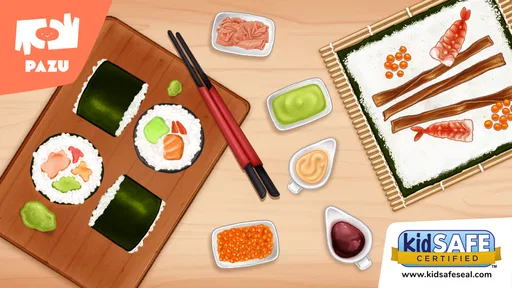


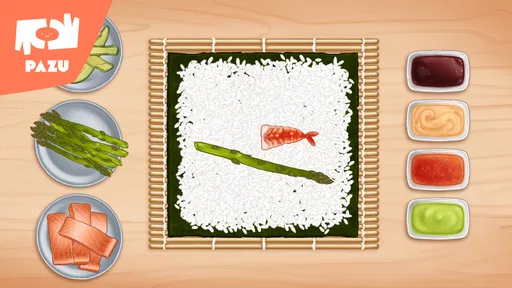
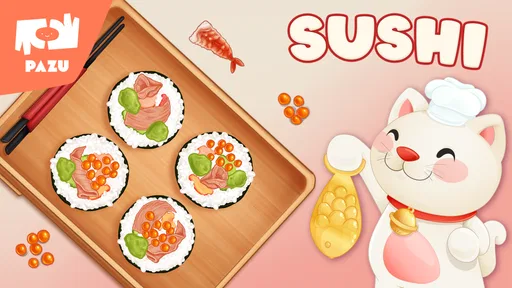



Our Review of Sushi Maker Kids Cooking Games
 Analysis by Appyee
I spent time with Sushi Maker Kids Cooking Games to see whether its central idea—letting children make sushi in a playful restaurant setting—actually works beyond a quick novelty. My impression is that it succeeds best as a gentle, touch-based role-playing game for short creative sessions. It is not trying to be a serious cooking simulator, and that is important to understand before installing it. The appeal comes from choosing ingredients, assembling food, and seeing a simple restaurant activity respond immediately to each action.
Created by Pazu Games, this is a free game in the role-playing category for Everyone. It is available for Android devices running Android 6.0 or later, and its current version is 1.23. The game has built a broad audience, with more than ten million installs and a 4.7 average from roughly twenty-nine thousand ratings. Those figures suggest that the approachable cooking format has connected with many families, although popularity alone does not make every part of the experience equally strong.
Making sushi is the whole point, and that focus helps
The most important capability here is not restaurant management in the usual sense. You are not balancing staff schedules, calculating margins, or trying to survive a demanding service rush. Instead, the game turns sushi preparation into a sequence of simple creative actions. That narrow focus makes it easy for a child to understand what to do without needing a long tutorial or previous experience with cooking games.
I found the hands-on format more engaging than a menu-driven restaurant game. Rather than selecting a completed dish from a list, the player takes part in the preparation. The satisfaction comes from building something step by step, even though the process remains simplified for young players. This distinction matters: the game is about participation and visual feedback, not about mastering a realistic recipe.
The cute kawaii presentation supports that goal well. Food and restaurant activities feel friendly rather than intimidating, and the game avoids the pressure that can make some time-management titles unsuitable for younger children. There is room to experiment with the appearance of a dish, which gives the player a small sense of ownership. A child can feel that the finished sushi is something they made, not merely an item they selected.
That creative control is the feature I would use to explain the game to a parent. If a child enjoys pretend play involving kitchens, cafés, or serving food, this offers a digital version of that activity. It is also a reasonable choice for a child who is not ready for games built around competition, failure, or complicated objectives. The experience is more about trying an action and seeing what happens than proving skill.
What the preparation loop feels like
In practice, the loop is easy to follow: prepare the food, add the visual elements that make it look complete, and enjoy the result. The controls are designed for tapping and dragging rather than precise gaming input. That makes the game comfortable on a phone, especially when a child is holding the device with both hands or playing on a smaller screen.
The immediate response is useful for younger players. When an action produces a visible change, the connection between touch and result is clear. There is less need to read lengthy instructions, remember complicated combinations, or understand an elaborate interface. I would still expect an adult to help during the first session if the child is very young, but the basic concept is accessible quickly.
One practical tip is to treat the game as an open-ended activity instead of asking a child to finish it in a particular way. The strongest moments come when the player is allowed to explore the food-making process at their own pace. If an adult turns it into a test—asking for the “correct” sushi or rushing through every step—the relaxed charm is reduced. The game works better as guided pretend play than as a lesson with right and wrong answers.
Another useful approach is to play together for a few minutes and let the child explain what they are making. That turns the simple interactions into conversation about ingredients, colors, shapes, and presentation. The game itself remains uncomplicated, but it can provide a starting point for imaginative play away from the screen. I would not describe it as a full educational cooking tool, yet it can support basic discussion about preparing and serving food.
A realistic everyday use
The best scenario for this game is a short quiet period when a child wants something interactive but the family does not want a high-pressure game. For example, after returning home from school, a child could spend a little time making sushi while a parent prepares dinner. The activity is self-contained, visually clear, and calm enough to fit into a transition between busier parts of the day.
It can also work during travel or while waiting, provided the device is ready and the child is comfortable using touch controls. The short-session nature is an advantage here because the game does not require a long uninterrupted commitment. A child can make food, show the result, and put the device away without losing the main point of the activity.
For parents, the important expectation is moderation. Free games aimed at children can still encourage repeated play, and this one includes in-app purchases ranging from $9.99 to $59.99 per item. I would check the device’s purchase settings before handing it over, particularly if the child plays independently. The game costs nothing to download, but “free” does not mean every possible item or option is included without payment.
That purchase structure is not automatically a reason to reject the game, but it changes how I would introduce it. I would install it with purchasing controls already in place and explain that some content may be unavailable unless an adult decides otherwise. This is a more comfortable setup than discovering the purchase prompts after a child has become attached to the game.
Where it differs from typical cooking games
Many restaurant games are built around speed. They ask players to remember orders, serve customers before a timer ends, upgrade equipment, and manage several tasks at once. That design can be satisfying for older players, but it also creates frustration and makes the game less suitable for very young children. Sushi Maker Kids Cooking Games takes the opposite route by making food preparation itself the main event.
Compared with a conventional cooking simulator, this title gives up realism in exchange for accessibility. You will not get the depth of a game that teaches detailed recipes, kitchen organization, or resource planning. There is also less long-term strategy than in a restaurant-management game. If you are looking for a progression system that keeps introducing tougher challenges, another option in the cooking category may hold your attention longer.
On the other hand, the simplified design is precisely why I would choose this game for a child who finds those alternatives overwhelming. There is no need to memorize a complicated order queue or react to several customers at once. The player can concentrate on the tactile pleasure of preparing food. That trade-off is not a weakness in every context; it is a deliberate reason to use this game instead of a busier alternative.
The role-playing label also needs some context. The game lets children act out the idea of being a sushi maker or running a small food activity, but it should not be confused with a story-heavy role-playing game. Players who expect character development, exploration, battles, or a detailed narrative will find the format much lighter. Its role-playing quality comes from pretending to perform a job, not from a large fictional world.
Small strengths that matter during play
The first overlooked strength is the low barrier to entry. A child does not need to understand restaurant economics or a complicated inventory screen before reaching the enjoyable part. That makes it useful for shared play between siblings of different ages, because the younger player can participate without being left behind by a demanding ruleset.
The second is the value of visual completion. Making a dish look finished gives the player a natural stopping point. In a more competitive cooking game, the session may end because a timer runs out or a level is failed. Here, a child can decide that the dish is complete and move on naturally. That can make it easier for an adult to suggest putting the device away after one activity.
The third is the way the theme supports pretend play without requiring a complicated story. A child can name the restaurant, describe the food, or imagine serving it to family members. Those additions come from the player rather than from a deep built-in narrative. For children who enjoy inventing stories around objects and food, that flexibility is more valuable than a fixed sequence of missions.
There is also a practical advantage in the age rating. Because the game is rated Everyone, it is positioned as a family-friendly choice rather than a title aimed at older players. I would still supervise younger children around purchases and screen time, but the tone is appropriate for a broad audience. The developer’s focus on children’s games is reflected in how quickly the activity becomes understandable.
Limitations parents and older players should expect
The same simplicity that makes the game approachable can make it feel shallow after repeated sessions. Once the novelty of making sushi wears off, a child who wants increasingly difficult goals may start looking for more demanding games. I would not install this expecting months of strategic progression. It is better viewed as a repeatable creative activity than as a deep restaurant career.
Older children may also notice that the actions are guided and forgiving. There is not much room for technical mastery in the way there is in a timing-based cooking game. If your child enjoys beating personal records, optimizing a kitchen, or unlocking complex systems, this may serve as a brief introduction rather than a lasting favorite.
The free-to-play structure is another consideration. The initial download makes it easy to try, but the listed purchase range is substantial enough that adults should manage access deliberately. I prefer to decide in advance whether optional spending is allowed rather than negotiate it during play. That small bit of preparation makes the experience less distracting and keeps the focus on cooking.
There is also a difference between digital food play and real cooking. The game can encourage a child’s interest in sushi, but it does not replace learning safe kitchen habits or understanding how food is actually prepared. If your goal is practical cooking education, a real supervised activity or a more instructional app would be a better companion. This game is strongest as imaginative practice, not as a substitute for a kitchen lesson.
Who will enjoy it most
I would recommend it most to younger children who like pretend restaurants, colorful food, and touch-based activities without harsh consequences. It is especially suitable for a child who wants to make choices and see immediate results but is not ready for a fast-paced restaurant challenge. The game’s free entry also makes it easy for a family to test that fit before deciding whether any optional content is worth considering.
It can be a good shared activity for a parent and child. An adult can ask the child to describe the dish, invent a customer, or compare different presentations. That kind of conversation adds depth that the basic game loop does not provide on its own. I would use it as a screen activity with a clear beginning and end, rather than leaving it running as background entertainment.
It is less suitable for players seeking realism, complex management, or a substantial story. Fans of demanding cooking games may find the actions too gentle, while players expecting a conventional role-playing adventure may be confused by the light structure. In those cases, a deeper simulation or a faster restaurant game would be a better match.
Device compatibility is fairly broad because the game supports Android 6.0 and newer, but the actual comfort of play still depends on the phone or tablet. A larger screen is likely to make tapping and dragging easier for small hands, while a cramped display can make the food-making actions less comfortable. I would try it on the device the child will really use instead of assuming that every screen offers the same experience.
My recommendation after playing
My overall view is positive, with a clear qualification: the game’s value comes from focused, friendly interaction rather than depth. Pazu Games has made the sushi-making idea easy to approach, and the result fits short sessions, family play, and children who enjoy creating food in a pretend restaurant. The 4.7 average and large install base are consistent with that accessible appeal, although they should not be read as a promise that every child will want endless replay.
I would download it for a child who enjoys cooking themes and needs a calm game that can be understood quickly. I would prepare purchase controls first, play alongside the child at least once, and frame it as a creative activity rather than a serious simulation. That setup brings out the strongest part of the design: the feeling of making something personal without the pressure found in many restaurant games.
The best reason to choose it is its gentle hands-on sushi-making loop. It gives children a simple way to pretend, experiment, and finish a small creation. The main reason to skip it is equally clear: players who need deep progression, realistic cooking, or challenging time management will outgrow it quickly. For the right audience, though, this free Everyone-rated role-playing game is an inviting little food workshop, and I can see why it has become a familiar choice among family-friendly mobile games.
Verdict
Strengths of Sushi Maker Kids Cooking Games
- Simple controls are suitable for young children.
- Bright visuals make the cooking process engaging.
- Offers creative freedom with many sushi combinations.
- Provides a relaxed experience without difficult time limits.
- Helps children practice following steps and recognizing ingredients.
Limitations of Sushi Maker Kids Cooking Games
- Some content may feel repetitive after several play sessions.
- Certain ingredients or decorations may require extra purchases.
- The game may include frequent advertisements on the free version.
- Limited challenge may not satisfy older children.
- Requires careful supervision if played by very young children.
Other Releases by Pazu Games
View All
Avatar World ®
Role Playing4.7

Avatar Maker Dress up for kids
Educational3.3

Baby care game & Dress up
Educational4.4

Girls Nail Salon - Kids Games
Educational4.5
Similar Picks in This Category
View All
Hair Dye
CrazyLabs LTD4.4

Monster High™ Beauty Salon
CrazyLabs LTD4.5

Bus Simulator - Bus Games 3D
Jima Apps4.4

Flight Pilot: 3D Simulator
Wildlife Studios4.1


Super Stylist Fashion Makeover
CrazyLabs LTD4.4
Frequently Asked Questions
What is Sushi Maker Kids Cooking Games?
Sushi Maker Kids Cooking Games is a colorful, child-friendly cooking game where players prepare virtual sushi dishes. Children can choose ingredients, create different rolls, decorate their plates, and serve their meals in a playful kitchen environment. The app focuses on creative experimentation rather than realistic cooking skills, making it suitable for young players who enjoy food-themed games.
Is Sushi Maker Kids Cooking Games suitable for young children?
The game is designed primarily for children and uses simple controls, bright graphics, and easy-to-understand activities. Players generally tap, drag, and select ingredients instead of following complicated instructions. Parents should still check the recommended age rating, available settings, and the app’s current store listing, since suitability can vary depending on advertising, in-app purchases, and the specific version installed.
Does the game require an internet connection to play?
Many of the basic sushi-making activities may be available without a continuous internet connection, which is convenient for travel or offline play. However, some features—such as advertisements, optional content, updates, or purchases—may require internet access. Before giving the device to a child, it is a good idea to test the game in airplane mode and review its permissions and parental controls.
Are there advertisements or in-app purchases in Sushi Maker Kids Cooking Games?
The availability of advertisements and in-app purchases can depend on the version, platform, and developer settings. Free children’s games commonly include ads or optional paid items, such as extra ingredients, tools, or decorations. Parents should review the Google Play or App Store listing carefully, disable purchases where possible, and use device-level parental controls to prevent accidental transactions.
What can children learn or practice while playing the game?
Sushi Maker Kids Cooking Games is mainly intended for entertainment, but it can encourage creativity, visual coordination, and decision-making. Children practice selecting ingredients, arranging food, following simple sequences, and designing their own plates. It should not be considered a substitute for real cooking instruction, especially because sushi preparation involves food-safety considerations that are not fully represented in a virtual game.
Play our best games!


